Download Fate Injector, the free DLL injector for Minecraft Bedrock on Windows: load a client or mod .dll into the game with one click or automatically on start. Works with every version, including GDK 1.21.120 and 26+.
Official file, unchanged. This is Fate Injector 1.0 for Windows, the latest release by its developer, in a ZIP with its licence and source code. It works with every Minecraft Bedrock version on PC, old UWP versions and the new GDK ones (1.21.120 and 26+).
What is Fate Injector?
Fate Injector is a small, free DLL injector for Minecraft Bedrock on Windows, made by fligger. Many Bedrock PC mods and clients come as a .dll file instead of a resource pack: the game cannot load them on its own, so an injector puts the DLL into the running game for you. Fate Injector was made for fligger's Fate Client, but it loads any DLL you pick.
It does one job and has no menus to learn: pick the DLL once, then click Inject — or turn on Auto Inject and it injects by itself every time Minecraft starts. It is an unofficial tool, not made by Mojang or Microsoft.
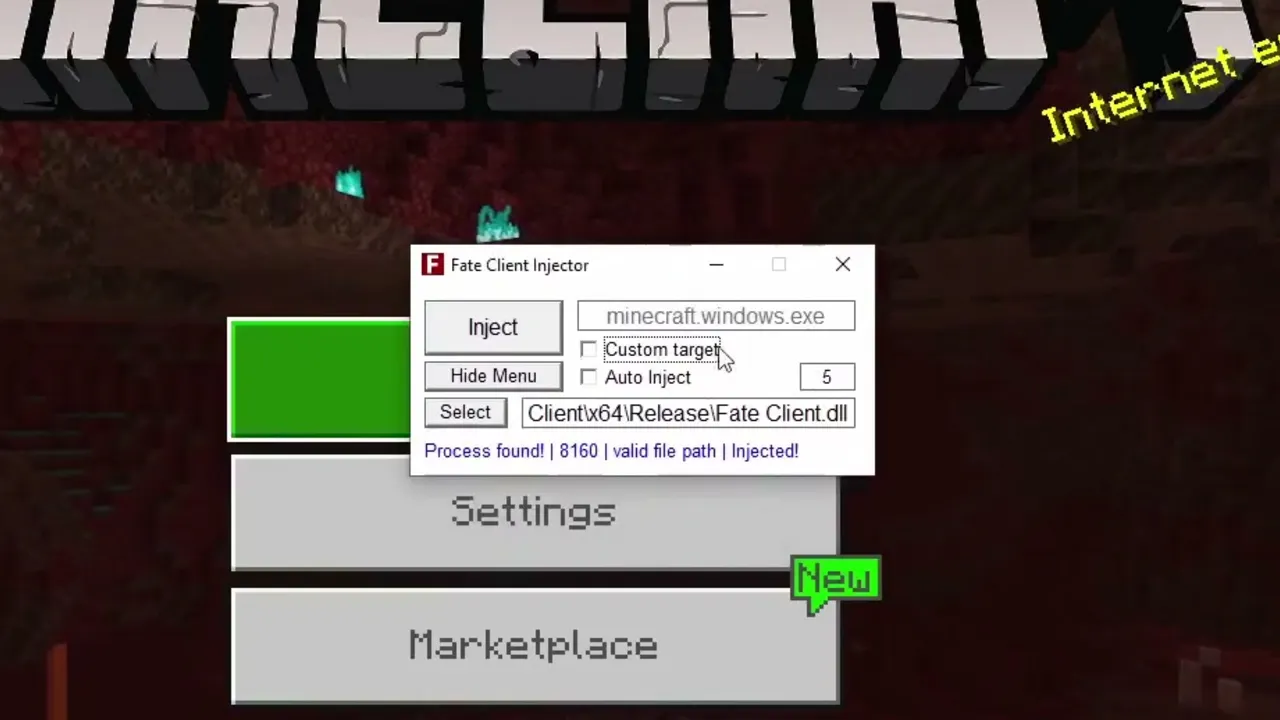 Fate Injector next to the game: the status line confirms the process was found and the DLL injected. Image: fligger on YouTube
Features
- One-click Inject into Minecraft (
minecraft.windows.exe), with a status line that shows whether the game was found and the DLL loaded.
- Auto Inject: looks for Minecraft every few seconds (you set how often) and injects as soon as the game is running.
- Remembers your DLL and settings, so next time it is one click (or none).
- Fixes the DLL's permissions by itself: it adds the "All Application Packages" permission older UWP versions of Minecraft need to load a DLL — the usual reason an injection "does nothing".
- Custom target to inject into another program name.
- Hide Menu sends the window to the system tray.
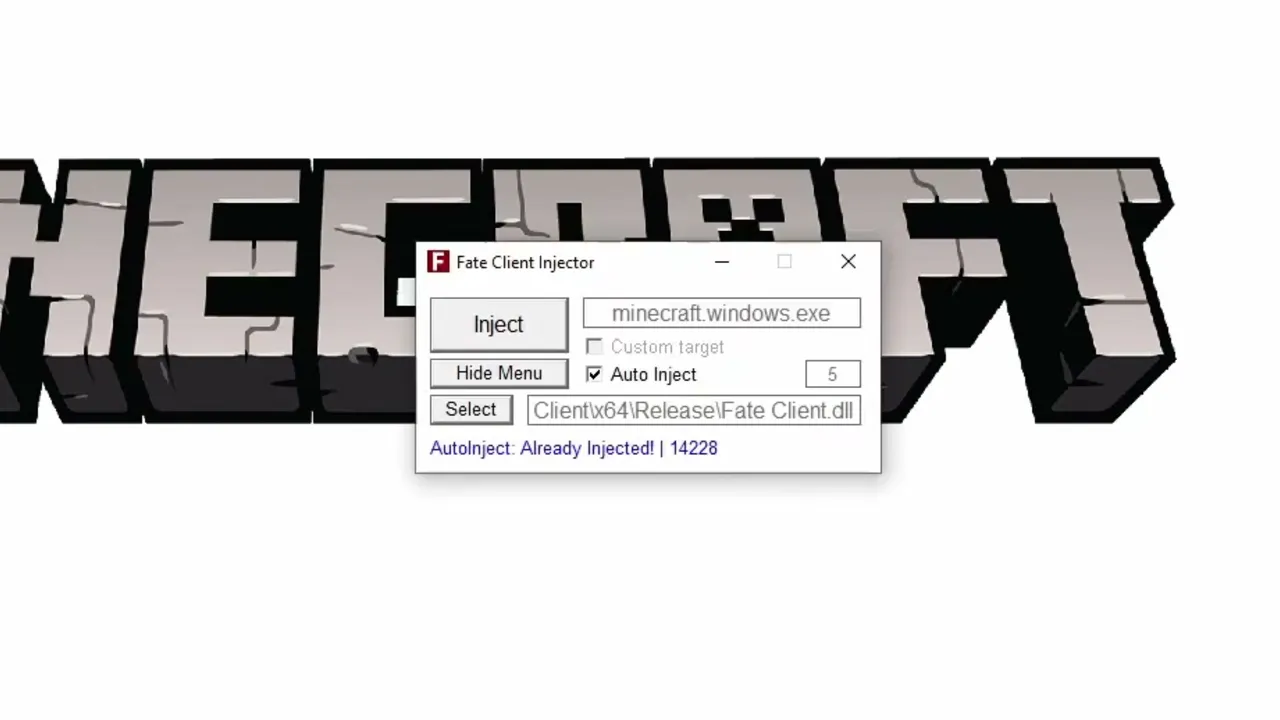 Auto Inject on: the DLL goes in while Minecraft is still loading. Image: fligger on YouTube
Which Minecraft versions it works with
The injector itself does not depend on the game version: it finds Minecraft by its program name, which is the same on the old UWP versions and on the GDK versions from 1.21.120 on, including every 26+ release. So you do not need a new Fate Injector when Minecraft updates.
The DLL you inject is a different story. Most mod and client DLLs are built for one Minecraft version and stop working, or crash the game, after an update. Always use a DLL made for the version you play — for example BetterRenderDragon lists the version it supports.
What you need
- Windows 10 or 11, 64-bit, with Minecraft Bedrock for PC installed.
- The Microsoft Visual C++ Redistributable (x64). Without it Windows says
VCRUNTIME140_1.dll was not found.
- An administrator account: Fate Injector asks for administrator rights when it starts.
- The .dll of the mod or client you want to load.
How to use Fate Injector
- Download the ZIP with the Download button at the end of this page and extract it, for example to
C:\FateInjector.
- Start Minecraft Bedrock.
- Run
FateInjector.exe and allow it to make changes (administrator).
- Click Select and pick the
.dll file.
- Click Inject. The status line should end with Injected!. To have it done every time, tick Auto Inject instead and leave Fate Injector running.
Frequently asked questions
Is Fate Injector official and safe?
The file is the official 1.0 release from its developer, unchanged — its SHA-256 is in the ZIP's SHA256SUMS.txt — and Windows Defender finds nothing in it. Some antivirus programs still flag injectors in general, because putting code into another program is also what some malware does. The full source code of this version is in the ZIP, so anyone can check what it does.
Does Fate Injector work with the latest Minecraft?
Yes. The injector works with every Bedrock version on Windows, the GDK ones too. Whether the DLL you inject works depends on that DLL being made for your Minecraft version.
It says "Process found" but nothing happens in game.
The DLL was probably built for another Minecraft version, or it is not a 64-bit DLL. Check which version the DLL supports, and try again with the game on its main menu.
Can I use injected clients on servers?
Visual and quality-of-life mods are usually fine in single player. Many servers ban clients that give an advantage, and some ban any injected DLL. Read a server's rules first.
Is there a Fate Injector for Android or iPhone?
No, it is a Windows program. On Android, mods load through LeviLauncher instead — for example BedrockTools.
Fate Injector is free software by fligger under the GPL-3.0 licence. The complete source code of this version is included in the download (source/FateInjector-1.0-source.zip).