Short answer: Vibrant Visuals is built into Minecraft PE, so there is nothing to download and no experiment to turn on. Open Settings → Video → Graphics Mode and pick Vibrant Visuals. If it is greyed out with "Not Compatible With This Device", your phone is below Mojang's list: the Minecraft PE APK on this site lifts that check. Render Dragon shaders are a different thing: custom shader packs that need a shader loader.
What Vibrant Visuals is
Vibrant Visuals is Minecraft Bedrock's own graphics mode. It adds sunlight that casts shadows, light shafts, volumetric fog, reflections on water and shiny blocks, and textures with depth. Mojang made it with the same Render Dragon engine the game already uses, so it is not a mod and not a resource pack.
It came out of preview with version 1.21.90, Chase the Skies, on June 17, 2025, so every version since then has it. Older guides that tell you to turn on an experiment or install a "PBR pack" first were written for the preview and are out of date.
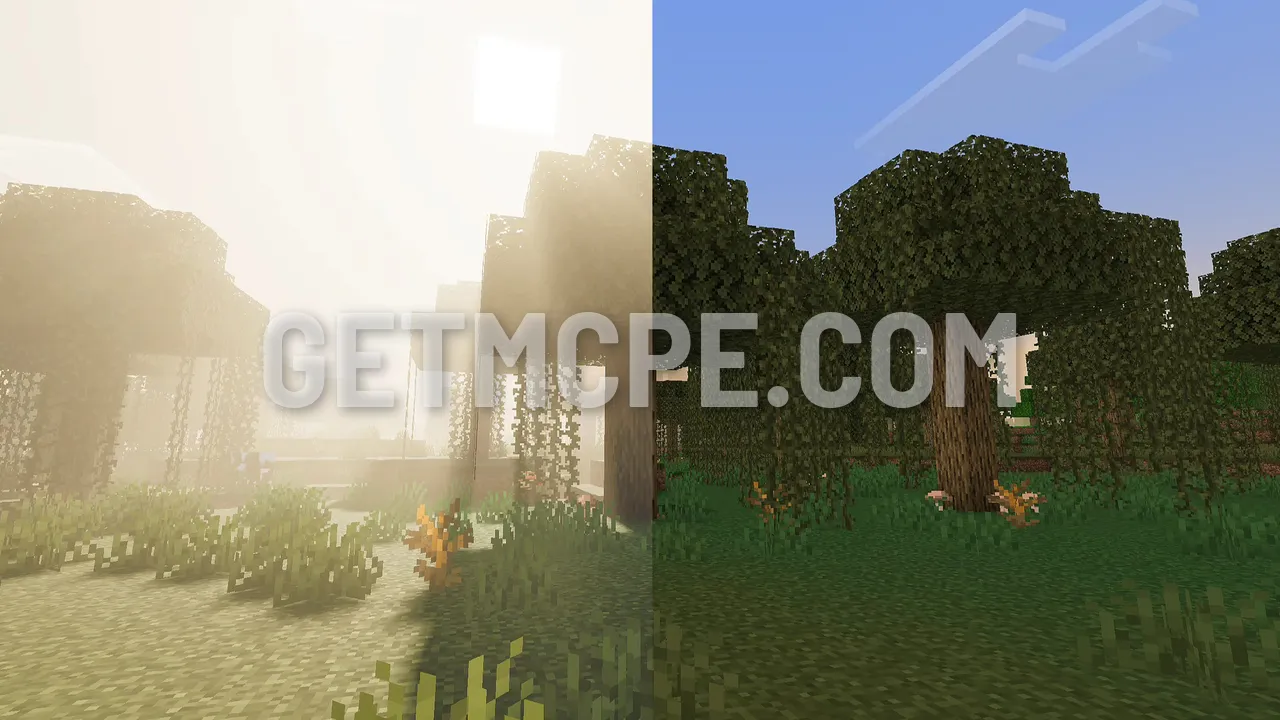 A swamp with Vibrant Visuals on (left): sun shafts through the fog. The same spot with it off (right)
Step 1: Turn it on
- Open Minecraft PE and tap Settings.
- Open Video.
- Find Graphics Mode. It has three choices: Simple, Fancy and Vibrant Visuals.
- Pick Vibrant Visuals and go back to your world. The change shows at once, no restart needed.
Under Graphics Mode, a Vibrant Visuals section lets you tune it: the quality of shadows, reflections and fog, and an upscaling option that renders at a lower resolution to keep the frame rate up. On a mid-range phone, start with lower shadow and reflection quality and raise them while the game stays smooth.
Vibrant Visuals on and off, side by side
Each picture is one spot in Minecraft PE, with Vibrant Visuals on the left and the default look on the right. The biggest changes are the light: haze in the distance, the sun glowing through leaves, and water that reflects the trees.
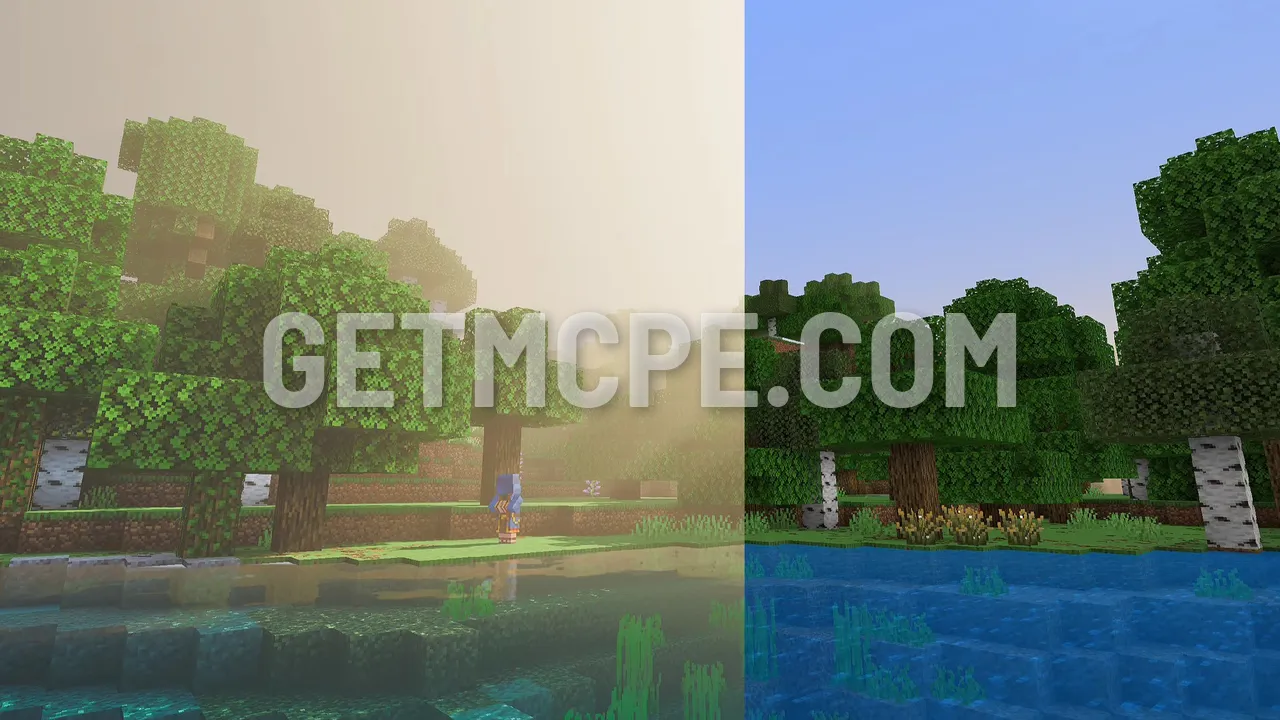 Birch trees by a lake: reflections and haze with Vibrant Visuals (left), the default look (right)
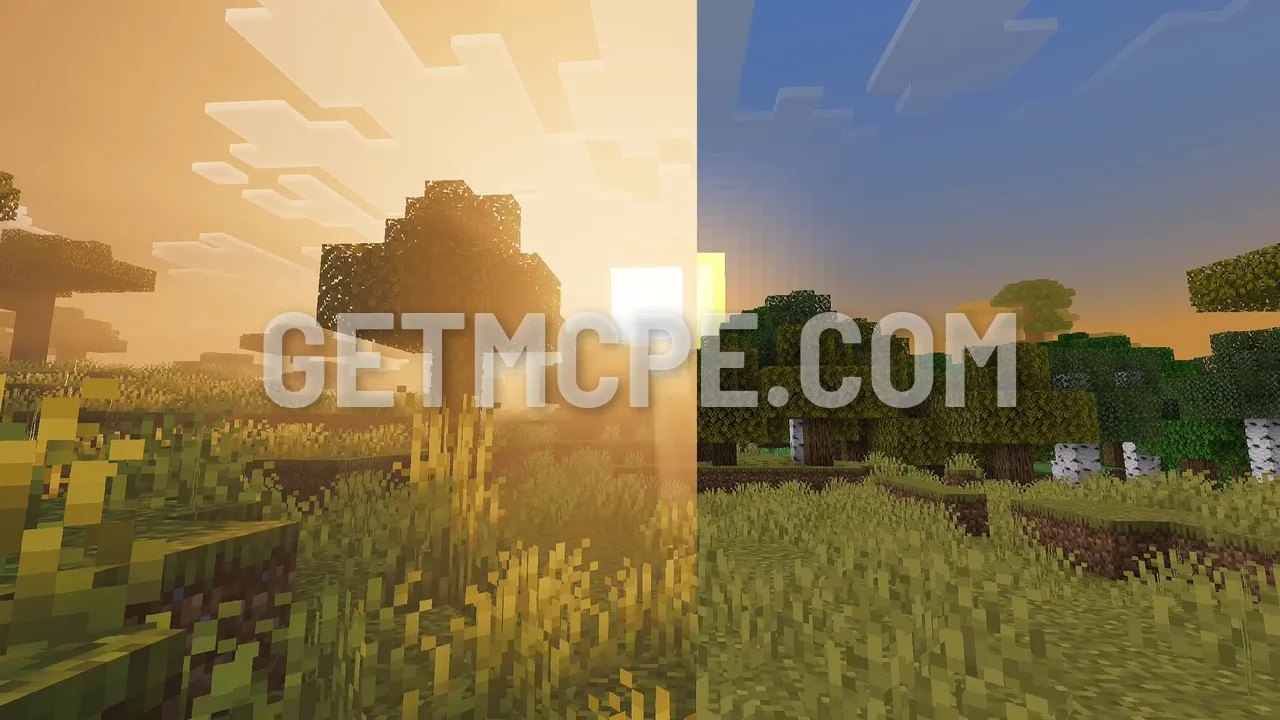 Savanna at sunset: the sun glows through the grass with Vibrant Visuals (left), the default sky (right)
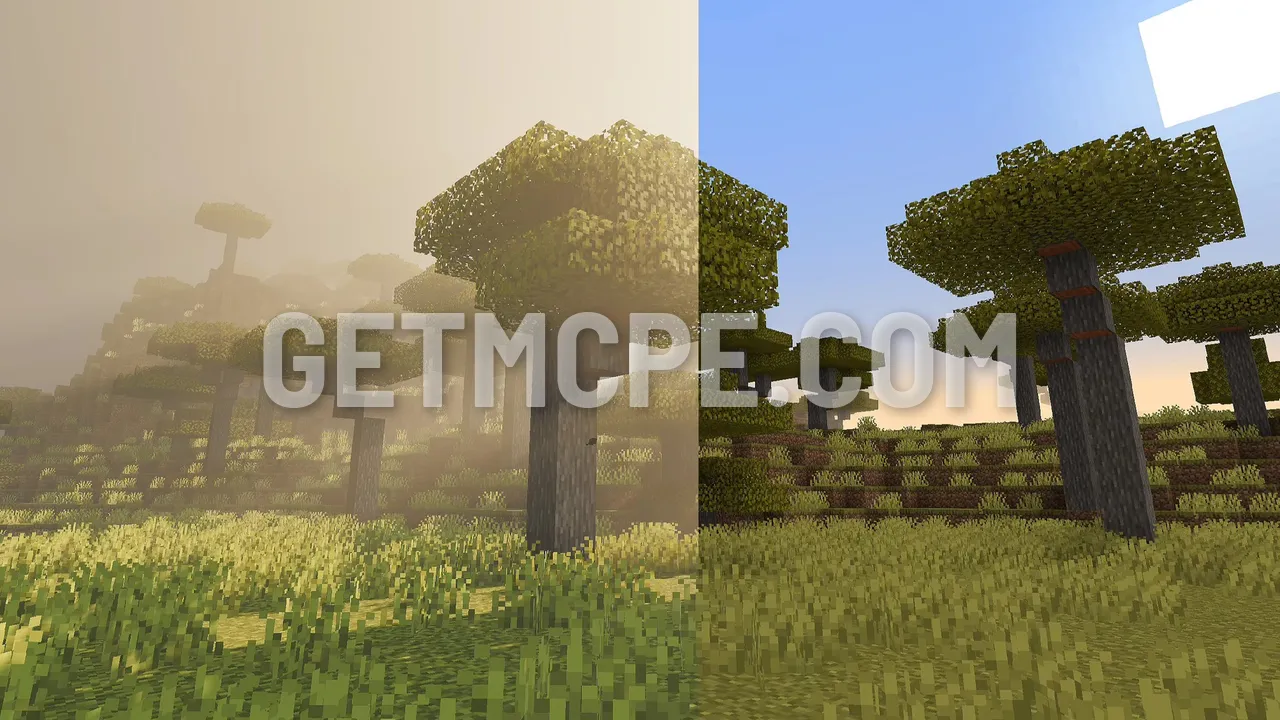 Savanna trees in morning haze with Vibrant Visuals (left), the clear default look (right)
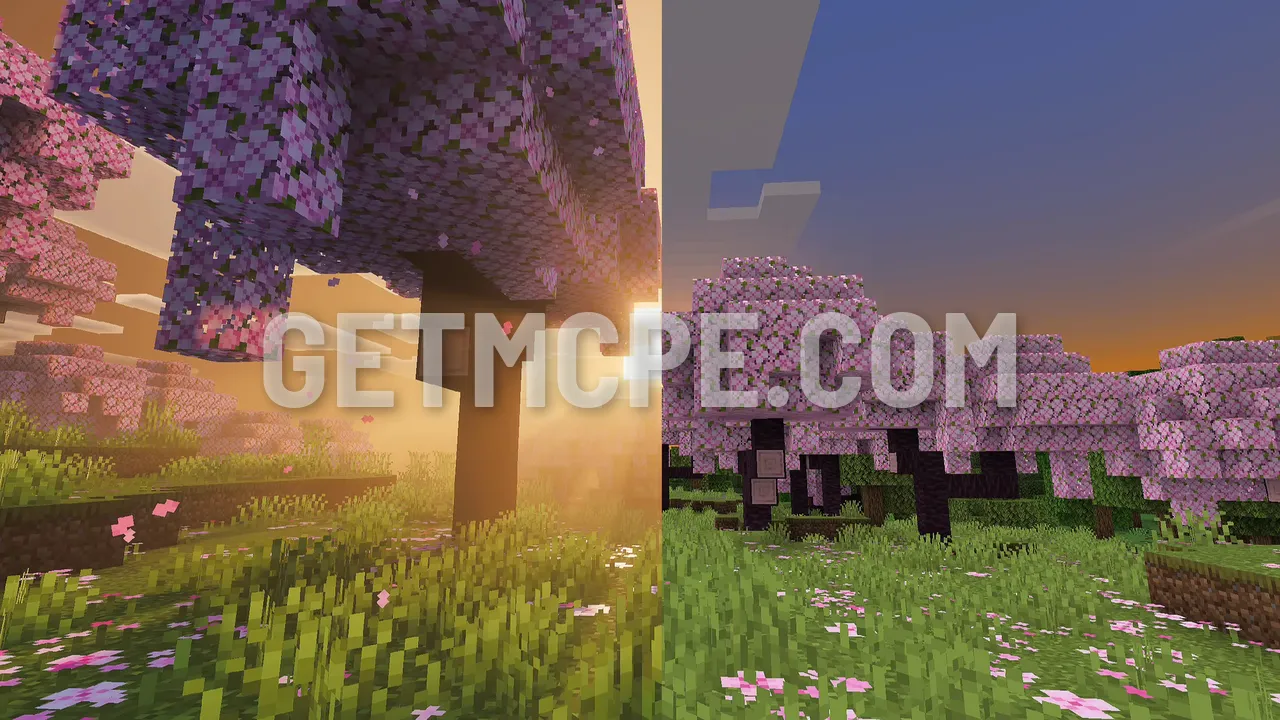 A cherry grove under a low sun with Vibrant Visuals (left), the default look (right)
The light also changes with the time of day and the biome, so one place can look very different an hour later:
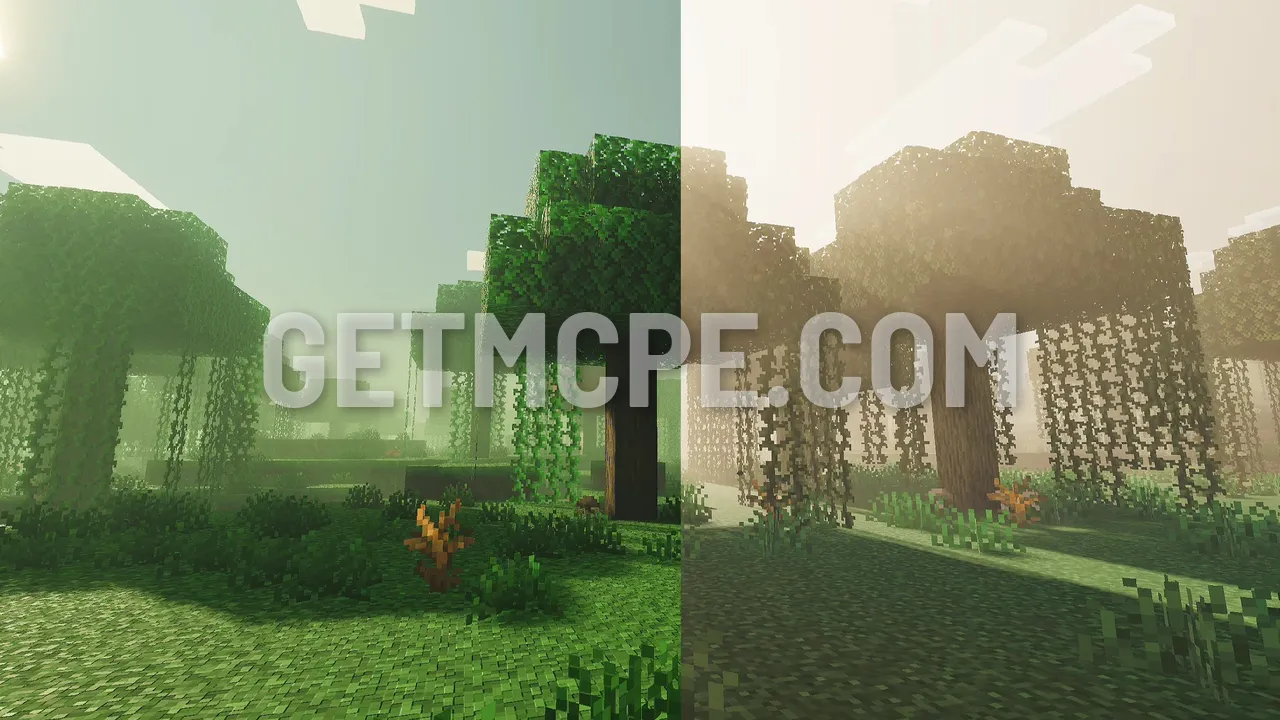 A swamp in green fog (left) and in warm sunlight (right)
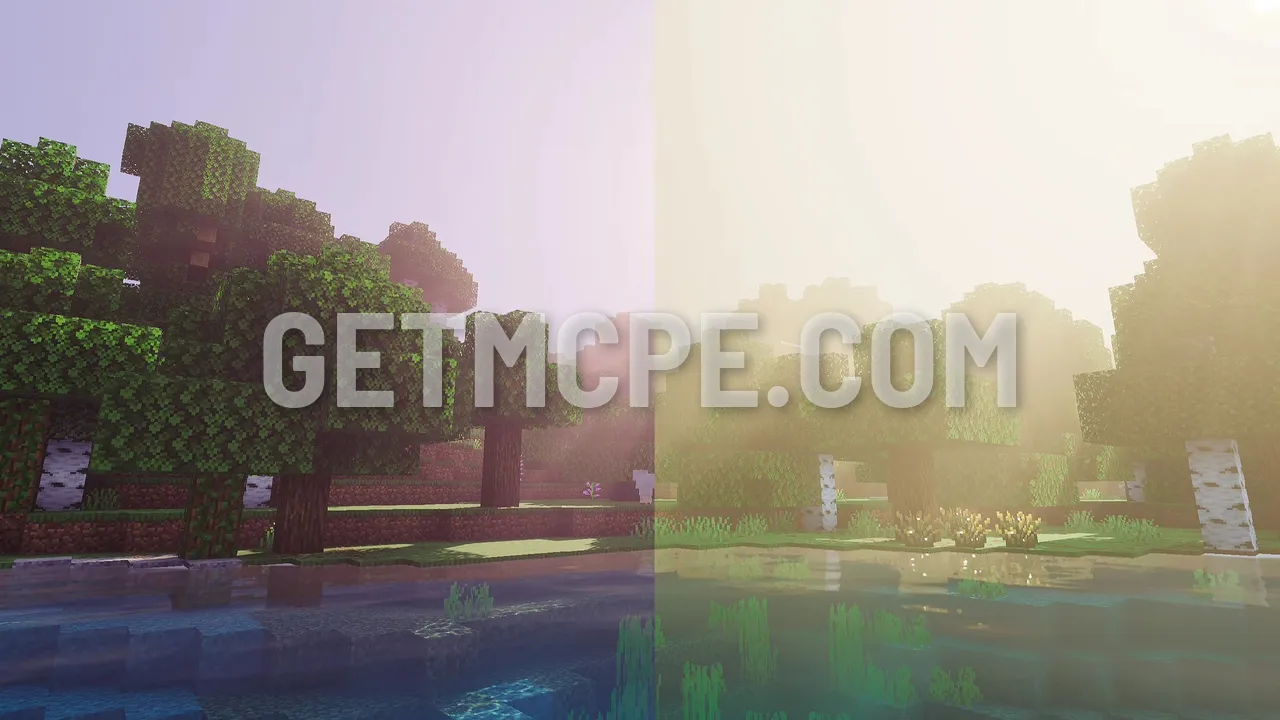 Birch trees by the water in pink morning light (left) and in bright haze (right)
Which phones support it
Mojang ties Vibrant Visuals to the graphics chip (GPU), not to the phone brand:
- Android: an Adreno 640, Mali-G68, Mali-G77 or Xclipse 530 GPU, or a newer one. An Adreno 640 is a Snapdragon 855; most mid-range and flagship phones from 2020 on pass.
- iPhone and iPad: an A12 or M1 chip or newer.
- Windows PC: Minecraft running on DirectX 12.
- Consoles: Xbox Series X|S, Xbox One, PlayStation 4 and 5, and Nintendo Switch 2 from October 27, 2026.
To find your phone's GPU, search its model name with "GPU", or use a free app such as CPU-Z or AIDA64 and look at the GPU line.
Step 2: "Not Compatible With This Device"
On a phone below that list, Vibrant Visuals is greyed out with the message "Not Compatible With This Device", and Graphics Mode only offers Simple and Fancy. Many of these phones can still run it at a lower frame rate; the game just doesn't let you choose it.
The Minecraft PE APK from getmcpe has Vibrant Visuals unlocked: the device check is lifted, so the option appears on every phone. It is the same game with the same worlds, plus capes and emotes unlocked, 4D skins and the shader fix. One APK works on every phone, and a Clone version installs next to your current Minecraft so you can try it without touching your main game.
- Pick your version on the Minecraft PE APK page, download it and install it.
- Open it and follow Step 1: Vibrant Visuals is now in Graphics Mode.
- Start with every Vibrant Visuals setting on low and upscaling on. If the game gets hot or slow, go back to Fancy: your phone is simply too weak for it.
When Vibrant Visuals turns itself off
Even on a supported phone, the option can go grey in some places. Mojang turns it off for content that was not made for it, so these play in Fancy or Simple:
- Older Marketplace worlds and some resource packs that don't support Vibrant Visuals. Turn the pack off, or use a pack made for it.
- Servers and Realms whose resource packs don't support it.
- Split-screen on consoles.
Texture packs made for Vibrant Visuals do work with it and change its look: Definitive Vibrant Visuals and Revolution Vibrant Visuals are two of them. Install one like any resource pack and keep Graphics Mode on Vibrant Visuals.
Render Dragon shaders: what they are
"Render Dragon shaders" are something else: custom shader packs made by players, which replace the game's own shader files (.material.bin) to change lighting, water, sky and colours, often in a style close to Java shaders. They work in Fancy mode, not in Vibrant Visuals, and Minecraft doesn't load them by itself: you need a shader loader.
- On Android: the loader patch has to be in the game itself. The getmcpe Minecraft PE APK includes the shader fix (MBLoader / Material Bin / Render Dragon), so Render Dragon shader packs load from a normal resource pack: import the pack, turn it on under Settings → Global Resources, and set Graphics Mode to Fancy.
- On Windows: use BetterRenderDragon. It loads Render Dragon shaders from resource packs, lets you reload them in game, and can force Vibrant Visuals on servers that turn it off.
You can browse shader packs for both in the shaders section. Each post says whether it is a Vibrant Visuals pack or a Render Dragon shader.
FAQ
Do I need to download Vibrant Visuals?
No. It is part of Minecraft PE since 1.21.90. If your phone is supported, it is already in Settings → Video → Graphics Mode. "Vibrant Visuals download" pages that sell you a file are packs or shaders, not the official mode.
Do I need to turn on an experiment in my world?
No. That was only during the preview, before June 2025.
How much does it slow the game down?
A lot more than Fancy. Expect a lower frame rate and a warmer phone, most of all with shadows and reflections on high. Upscaling and lower quality settings help.
Can I use Vibrant Visuals and a Render Dragon shader together?
No. A Render Dragon shader replaces the game's shader files and is used in Fancy mode; Vibrant Visuals uses Mojang's own. Pick one.
Does it work on iPhone?
Yes, on an A12 chip (iPhone XS / XR) or newer, with the same Graphics Mode setting.
Is it in Minecraft Java?
Not yet. Vibrant Visuals is in Bedrock Edition (phones, Windows, consoles). Mojang has said it is coming to Java Edition later.