Download the LeviLauncher APK for Android: the open-source launcher for Minecraft PE with a built-in mod menu, native mods, several game versions side by side and content tools. The official file, what it needs and how to set it up.
Official file, unchanged. This is LeviLauncher 1.5.25 for Android, the latest release on the project's GitHub (September 30, 2026), byte for byte.
What is LeviLauncher?
LeviLauncher is a free, open-source launcher for Minecraft PE (Bedrock Edition) on Android, made by LeviMC, the team behind the LeviLamina mod loader. It starts the Minecraft you already have and adds what the normal app can't do: an in-game mod menu with ready-made mods, native mods, several game versions side by side, and tools for your worlds and packs. It is an unofficial launcher, not made by Mojang or Microsoft.
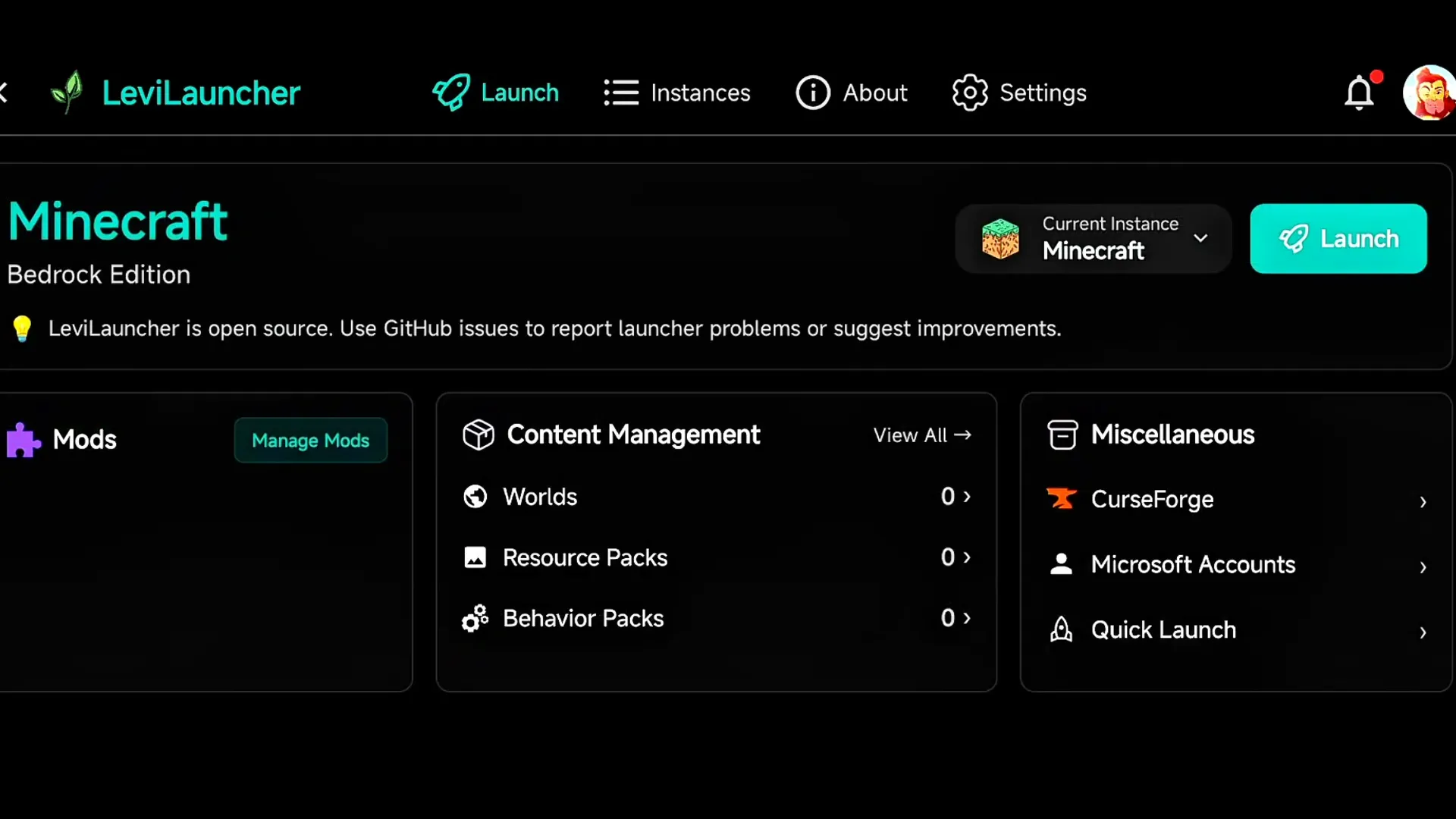 The LeviLauncher home screen: pick an instance and tap Launch. Image: ZStrider on YouTube
Important: you need Minecraft from Google Play
LeviLauncher doesn't include the game. It runs the Minecraft app installed on your phone, and it checks that this app came from the Google Play Store. Without a Play Store copy it shows "Minecraft isn't installed on your device" or "Non-genuine Minecraft detected" and won't start the game.
Features
- In-game mod menu with built-in mods you switch on and off: Auto Sprint, Zoom, Quick Drop, Quick Perspective, Snaplook, Hide HUD, FPS and CPS displays, gyro aiming, a hotbar slot button, More Buttons for extra on-screen keys, Pojav-style controls, a virtual cursor and a pet chick.
- HUD Editor to move and resize the on-screen buttons, with snapping to a grid.
- Native mods: import .so files, .zip mod packages or .levipack files, or install them from the built-in External Mods catalog.
- Several Minecraft versions side by side, each with its own worlds and settings if you turn on Version Isolation.
- Content Management: import .mcworld, .mcpack and .mcaddon files, manage worlds, resource packs and behavior packs, and back up a whole instance.
- CurseForge browser inside the launcher for add-ons, maps, texture packs and skins.
- Several Microsoft accounts in one launcher, and Quick Launch to join a server straight away.
- A foreground service that keeps Minecraft running while you switch to another app.
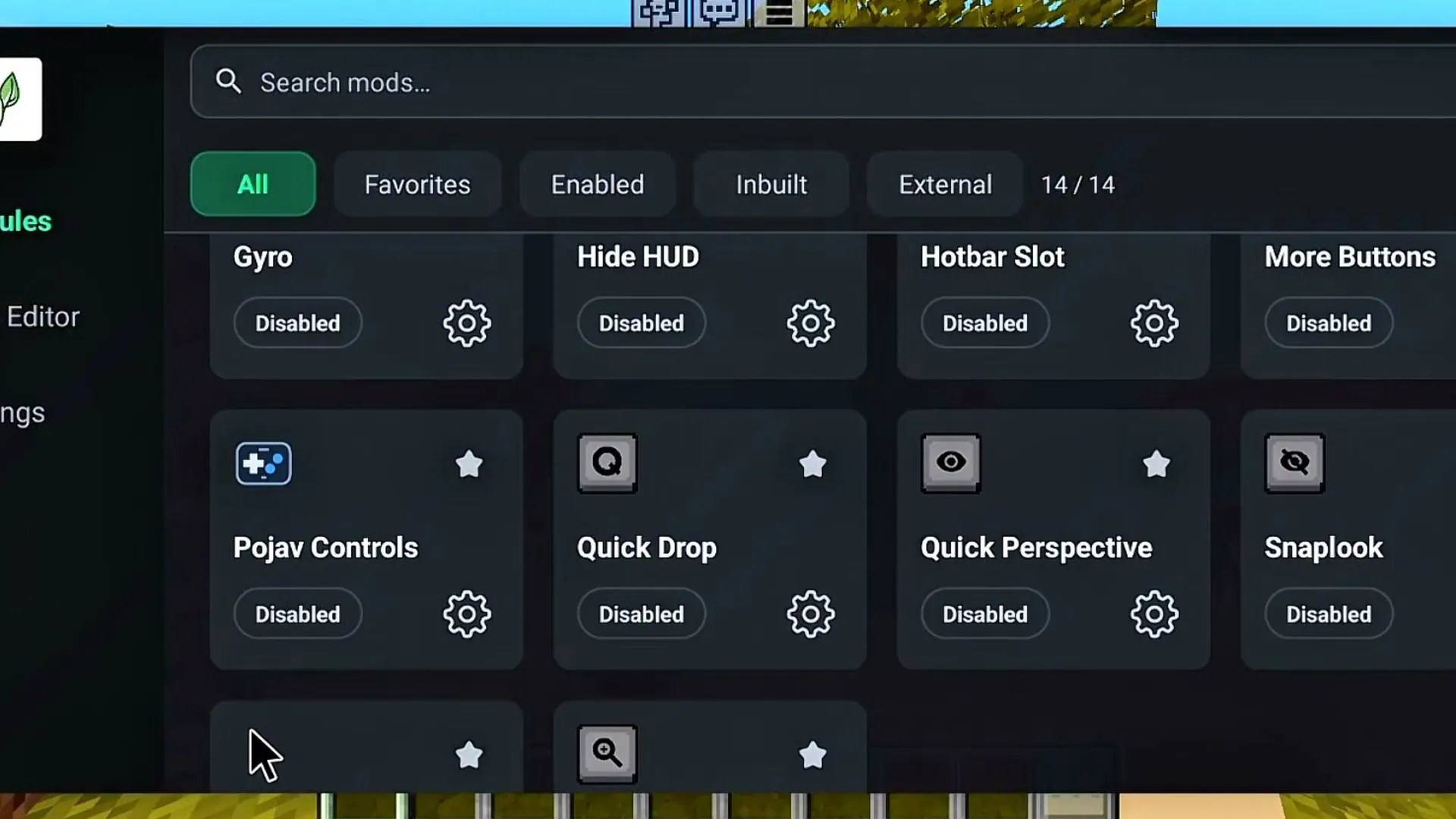 The in-game mod menu with the built-in mods. Image: ZStrider on YouTube
What you need
- Android 9 or newer on a 64-bit (arm64) phone or tablet.
- Minecraft bought on Google Play and installed on the same device.
- About 2 GB of free space for the game data, more for extra versions. The developers recommend 3 GB of RAM.
- A Microsoft account to sign in, the same one you use in Minecraft.
How to install LeviLauncher
- Download the APK with the Download button at the end of this page.
- Open the file. If Android asks, allow your browser or file manager to install unknown apps, then tap Install.
- Open LeviLauncher and accept its license agreement.
- Sign in with your Microsoft account. The launcher shows a short code: open the Microsoft sign-in page it gives you, enter the code and confirm.
- On the home screen, pick the instance under Current Instance and tap Launch.
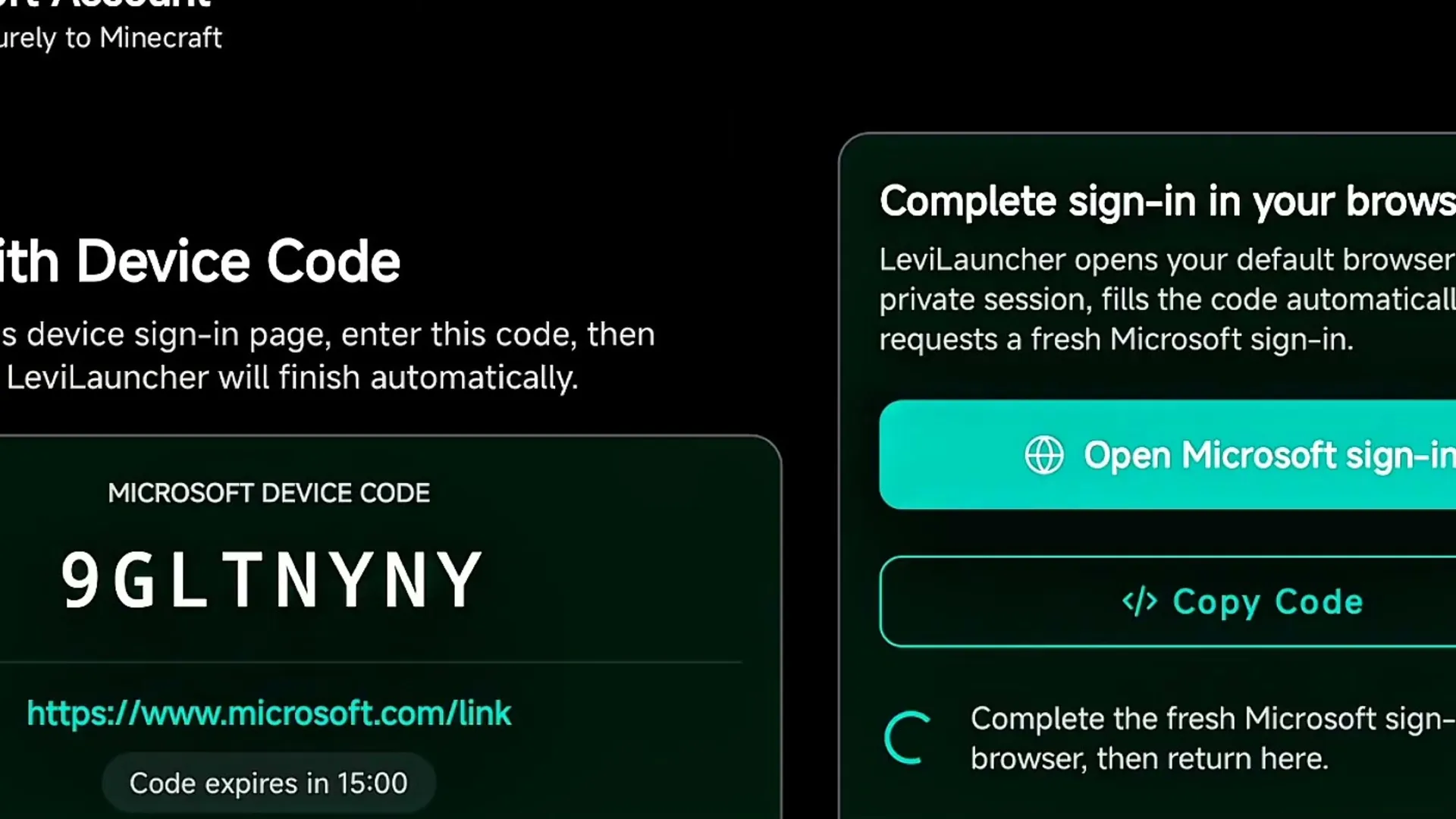 Signing in with a Microsoft account by device code. Image: ZStrider on YouTube
How to use mods
In the game, tap the LeviLauncher button to open the mod menu. Turn on a built-in mod and tap its gear icon for its settings. Use the HUD Editor tab to place the new buttons where your thumbs reach them.
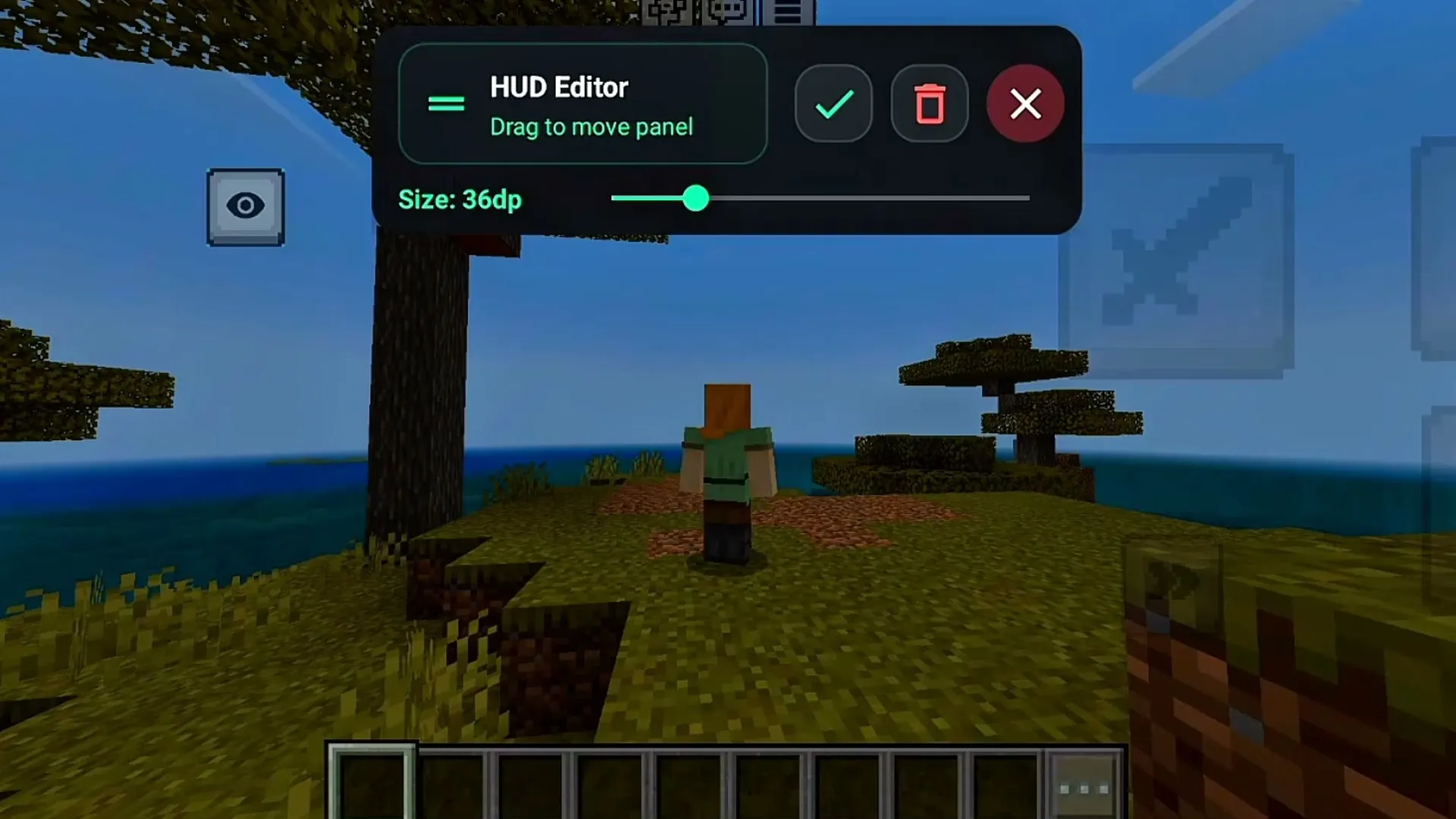 The HUD Editor moves and resizes on-screen buttons. Image: ZStrider on YouTube
For native mods, open Mods in the launcher. Install a mod from the External Mods catalog, or download its .so, .zip or .levipack file and tap Scan to find it in your Downloads folder. Try one mod at a time, and back up your worlds first: mods and packs are used at your own risk.
Built-in mods can change what you see and how you play, so some servers don't allow them. Check a server's rules before you join with mods on.
Play another Minecraft version
LeviLauncher can add more instances from a Minecraft APK or APKS file of another version. An imported version only starts with Version Isolation turned on, which also keeps its worlds apart from your main game. Switch versions with the menu next to the Launch button.
Your worlds, resource packs and add-ons are managed per instance. You can import .mcworld, .mcpack and .mcaddon files from Content Management. Instance backups go to Download/LeviLauncher/Backups.
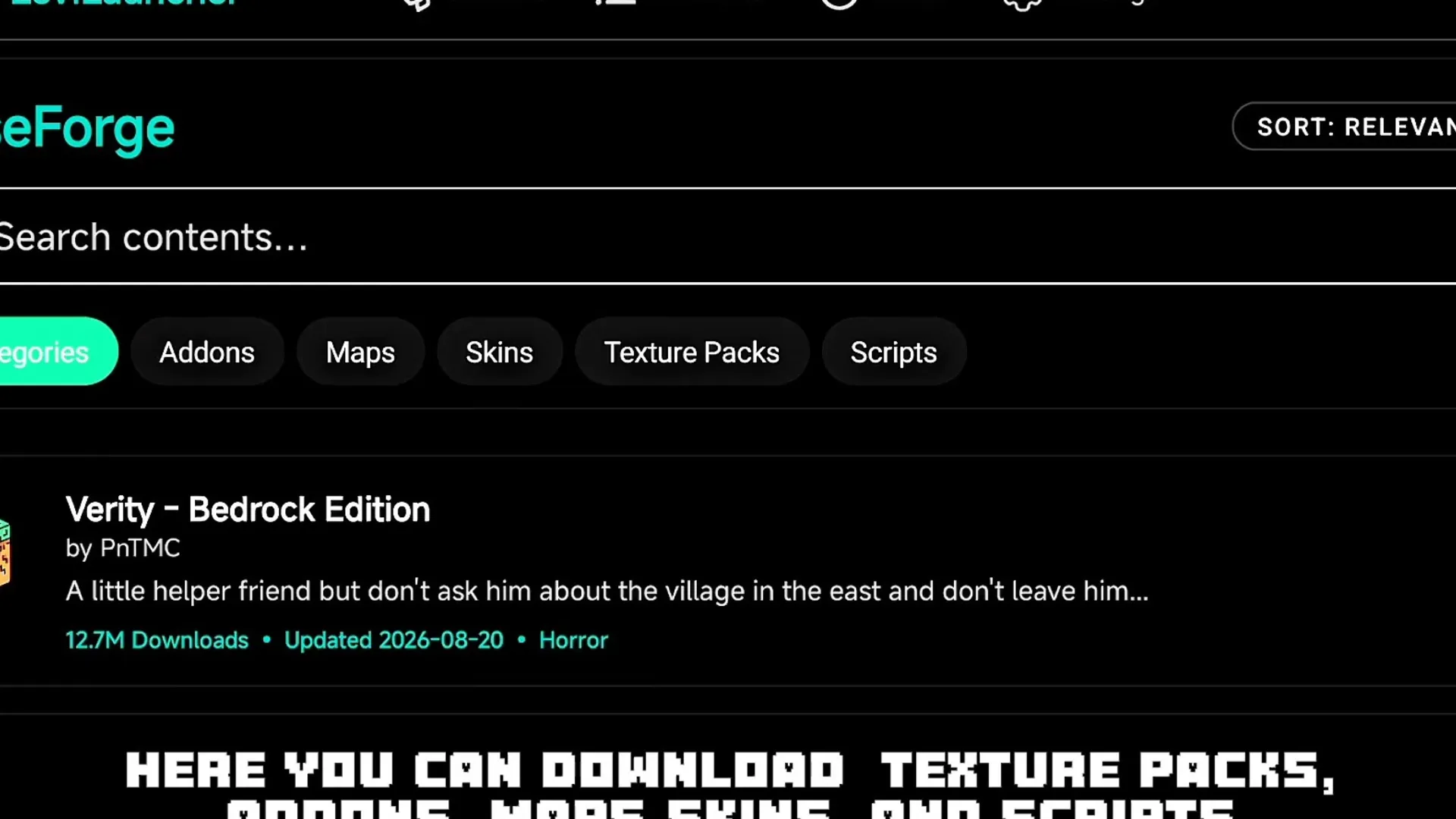 Browsing CurseForge add-ons, maps and texture packs in the launcher. Image: ZStrider on YouTube
Looking for packs? Browse our mods, texture packs and shaders for Minecraft PE.
LeviLauncher on PC
LeviLauncher also has a separate Windows version, for installing and downgrading Minecraft Bedrock on PC. The download and every step are in our LeviLauncher PC guide.
Latest version
- 1.5.25 (September 30, 2026): native mods can open and close the launcher's mod menu; better touch handling.
- 1.5.24 (September 16, 2026): built-in mods work on Minecraft 26.50; fixed the chat keyboard closing right away.
- 1.5.22 and 1.5.23 (September 2026): the External Mods catalog, the foreground service and better gyro controls.
Frequently asked questions
Is LeviLauncher safe?
LeviLauncher is open source, so anyone can read its code on GitHub. The file here is the official release, unchanged: its SHA-256 is 09747ae1d47a22f8b0901f6b841040da676a66e88c1f08f335ffcba7ed954cbc, the same checksum GitHub lists. Avoid "LeviLauncher" APKs from other places: they may be modified.
Is LeviLauncher free?
Yes, the launcher is free. The game isn't: you need Minecraft bought on Google Play.
Does LeviLauncher work without Minecraft from Google Play?
No. It checks that Minecraft on your phone came from the Google Play Store and refuses to start the game otherwise.
Does LeviLauncher boost FPS?
It doesn't make Minecraft itself faster. It adds an FPS display and mods like Hide HUD, and keeps the game running in the background. For more FPS, lower the render distance or use a lighter texture pack.
Is there a LeviLauncher for iPhone?
No. The mobile version is for Android only. On PC there is a separate Windows version.
Can I get banned for using LeviLauncher?
The launcher itself only starts your game. Some mods give an advantage, and servers can ban players who use them. Its developers say they aren't responsible for bans, so follow each server's rules.
LeviLauncher is free software by LeviMC under the Apache-2.0 license. Its source code is published on GitHub as LiteLDev/LeviLaunchroid.