Atlas Client — PvP & Utility Client for Minecraft PE (Android & iOS)
By the Atlas Client teamUpdated 20 Oct 2026
Download Atlas Client for Minecraft PE on Android and iPhone: a PvP and utility client with Keystrokes, CPS and speed displays, Fullbright, Chunk Borders, Zoom, AutoGG, waypoints and command hotkeys.
Atlas Client for Minecraft PE 26+ on Android (2.1.3) and iPhone / iPad (2.0.7). A PvP and utility client — displays and conveniences, no cheats.
What is Atlas Client?
Atlas Client is a client for Minecraft PE (Bedrock Edition) on phones and tablets, and one of the first made for mobile. It runs as its own app that starts your Minecraft with Atlas loaded, and adds a module menu with PvP displays and quality-of-life tools. Its makers are clear that it is not a hacked client: nothing in it gives you an unfair advantage in multiplayer. If a video sold it to you as a "toolbox" or a hack, that video was wrong.
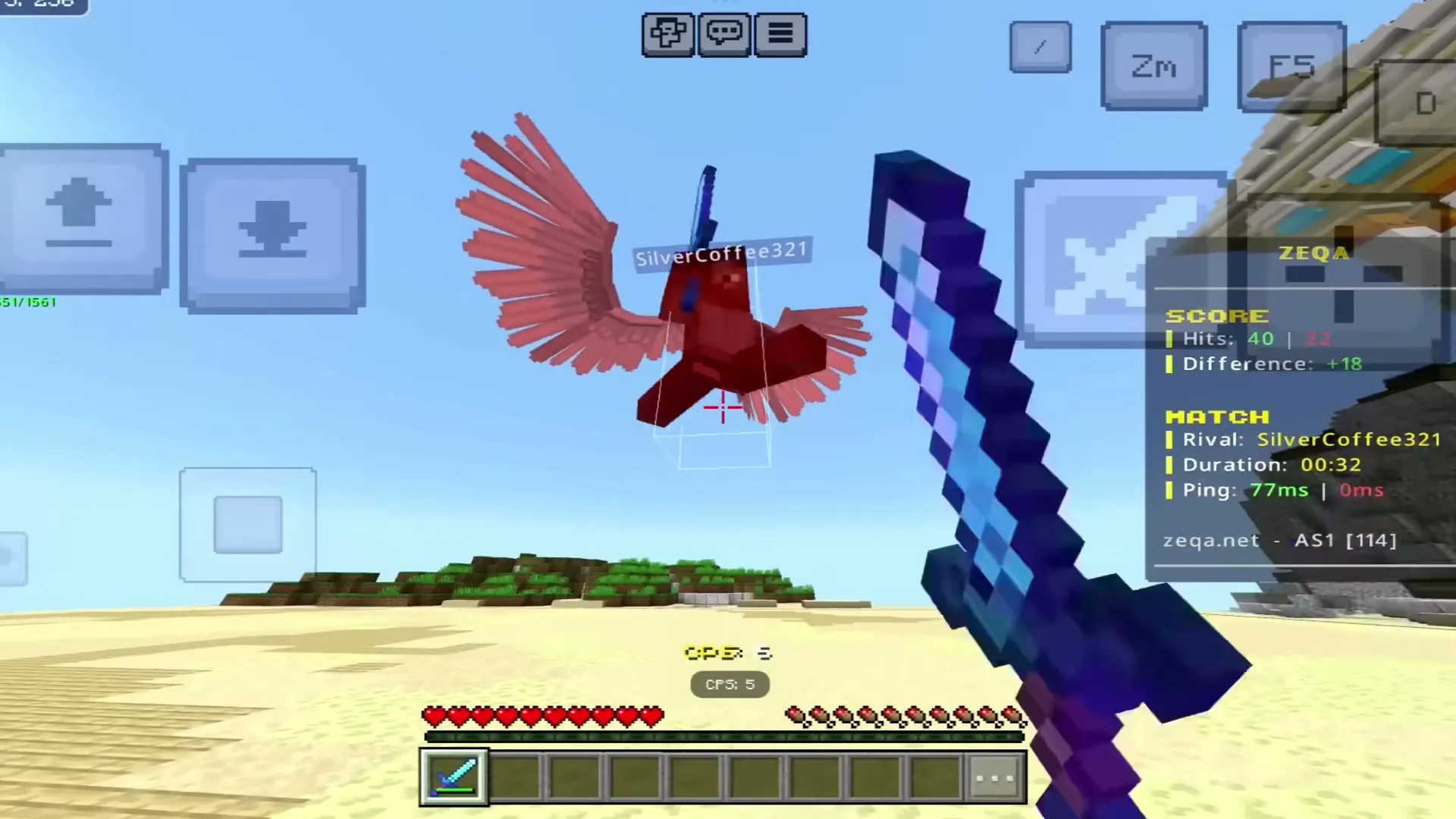 Match info and CPS on screen during a PvP game.
Features
- Displays: Keystrokes, CPS, speed, reach, coordinates and server info.
- Visuals: Fullbright, Chunk Borders, Zoom, View Model, a cinematic camera and render options.
- Waypoints so you can find your way back to a place.
- AutoGG for minigames on The Hive and CubeCraft, Auto Sprint and Quick Perspective.
- Command hotkeys: bind a chat command (like
/sky) to an on-screen button.
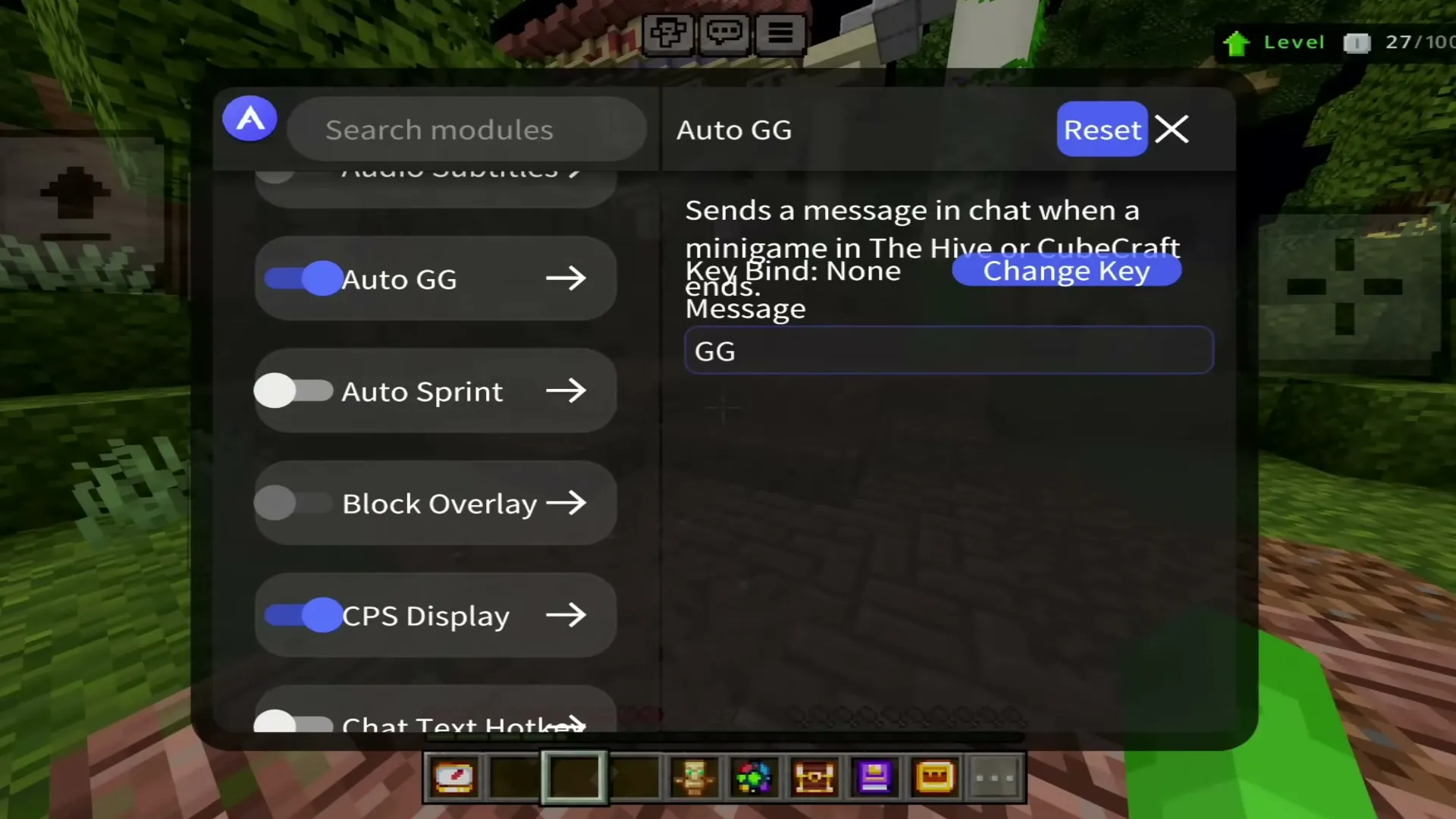 AutoGG sends a message when a minigame ends.
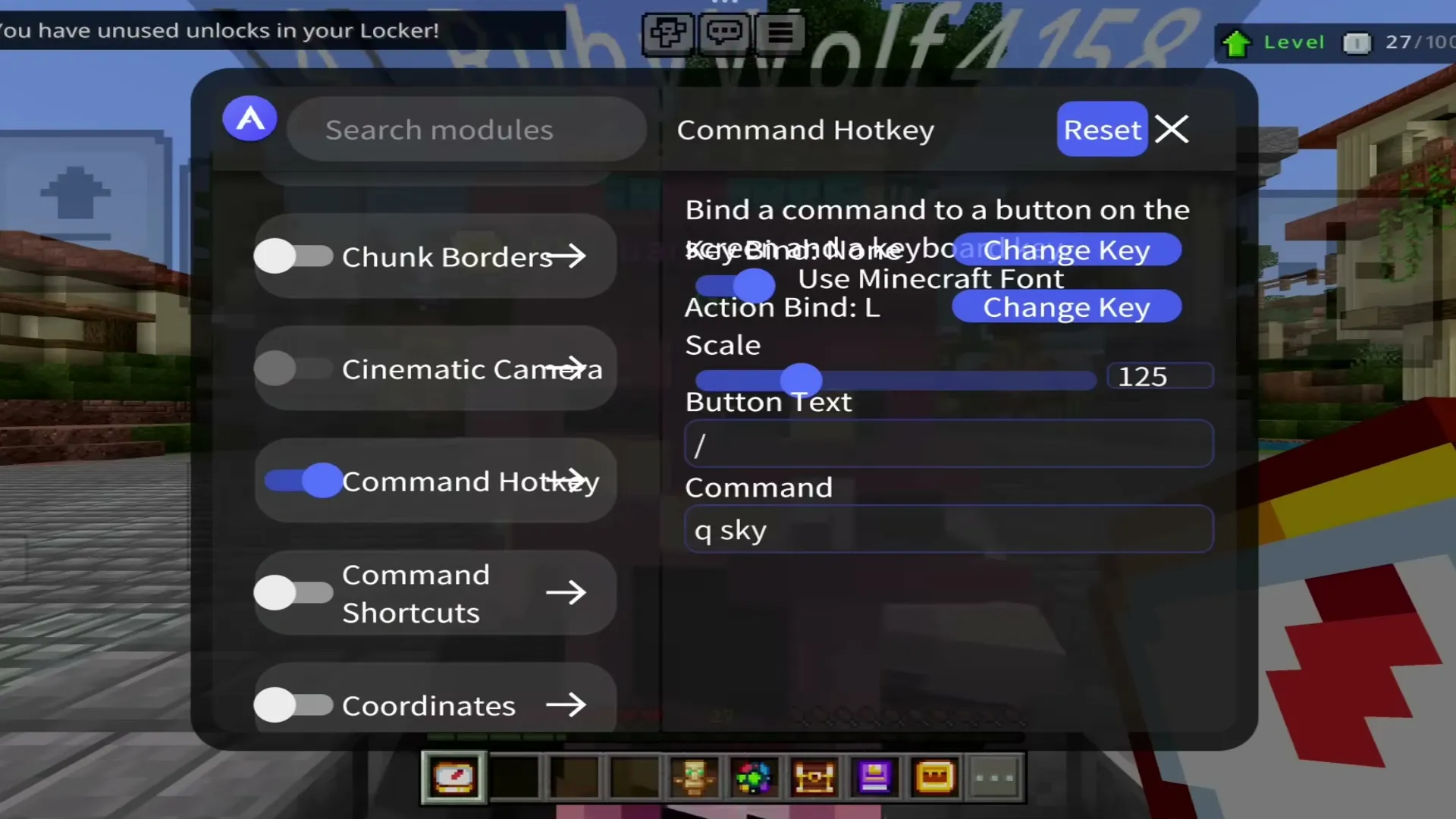 Command Hotkey: one button for a command you use often.
Which file do I need?
- Android —
Atlas-Client-2.1.3-Android.xapk. An XAPK holds several APK parts, so install it with an XAPK installer such as SAI (Split APKs Installer) or APKPure. Android 10 or newer.
- iPhone / iPad —
Atlas-Client-2.0.7-iOS.ipa, installed with a sideloading app such as SideStore or TrollStore.
Both need Minecraft already installed on the device: Atlas starts the game you have.
How to install Atlas Client
Android
- Install Minecraft from Google Play if you have not.
- Download the Android XAPK at the end of this page.
- Open it with SAI or APKPure and install.
- Open Atlas Client, finish its first setup, then launch Minecraft through Atlas.
iPhone / iPad
- Set up a sideloading app such as SideStore (or TrollStore on a supported iOS version).
- Download the iOS IPA at the end of this page and open it with your sideloader to install it.
- Open Atlas Client, finish its first setup, then launch Minecraft through Atlas.
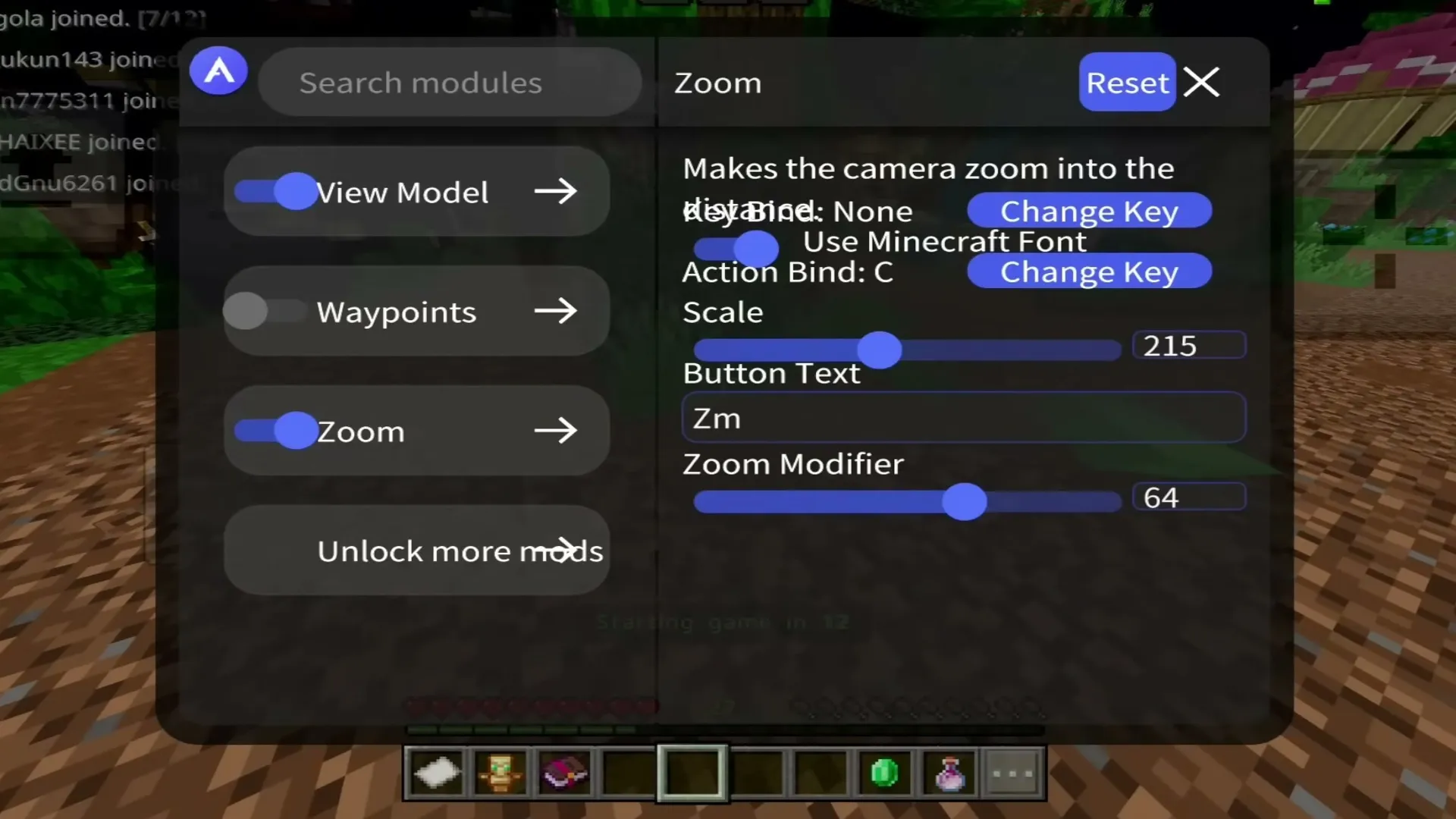 Zoom, with its own key and zoom strength.
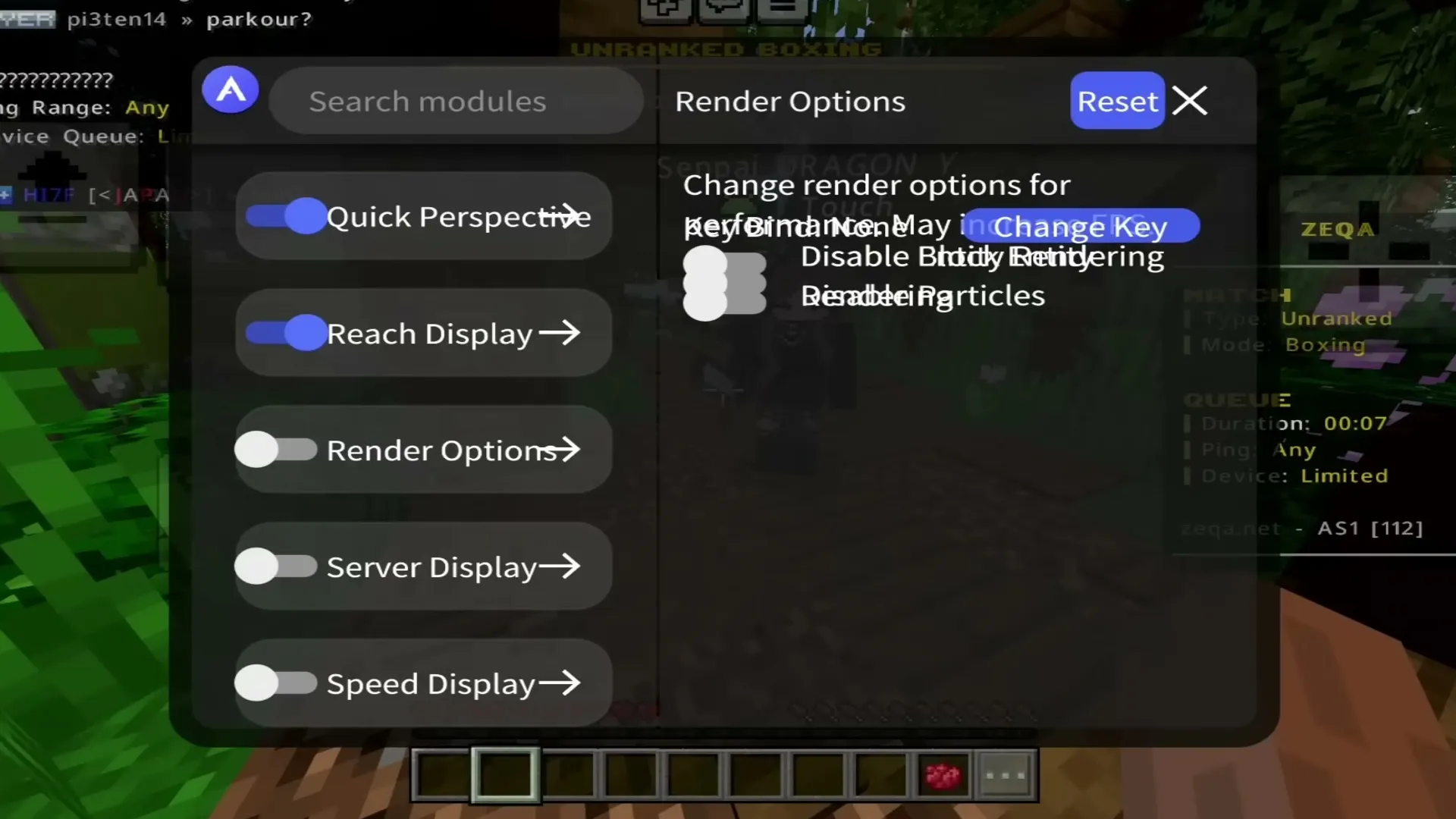 Render options and display modules.
Good to know
- Atlas follows the current Minecraft releases (26+). Older lines like 1.20 and 1.21.111 had their own Atlas builds.
- On iPhone, a sideloaded app has to be re-signed now and then (SideStore does it for you); TrollStore installs stay.
Download Atlas Client — PvP & Utility Client for Minecraft PE (Android & iOS)
Atlas-Client-2.1.3-Android.xapk
Latest26.52+1226.52
26.51
26.50
26.40
26.30
26.20
26.13
26.12
26.11
26.10
26.3
26.0.02
26.014.49 MB · 13 Oct 2026
Download
Atlas-Client-2.0.7-iOS.ipa
26.52+1226.52
26.51
26.50
26.40
26.30
26.20
26.13
26.12
26.11
26.10
26.3
26.0.02
26.013.93 MB · 13 Oct 2026
Download